What's new in AdaOne
Learn more about the highlights from the latest updates to AdaOne.
A full list of changes can be found in the release notes.
Real-time tool path preview
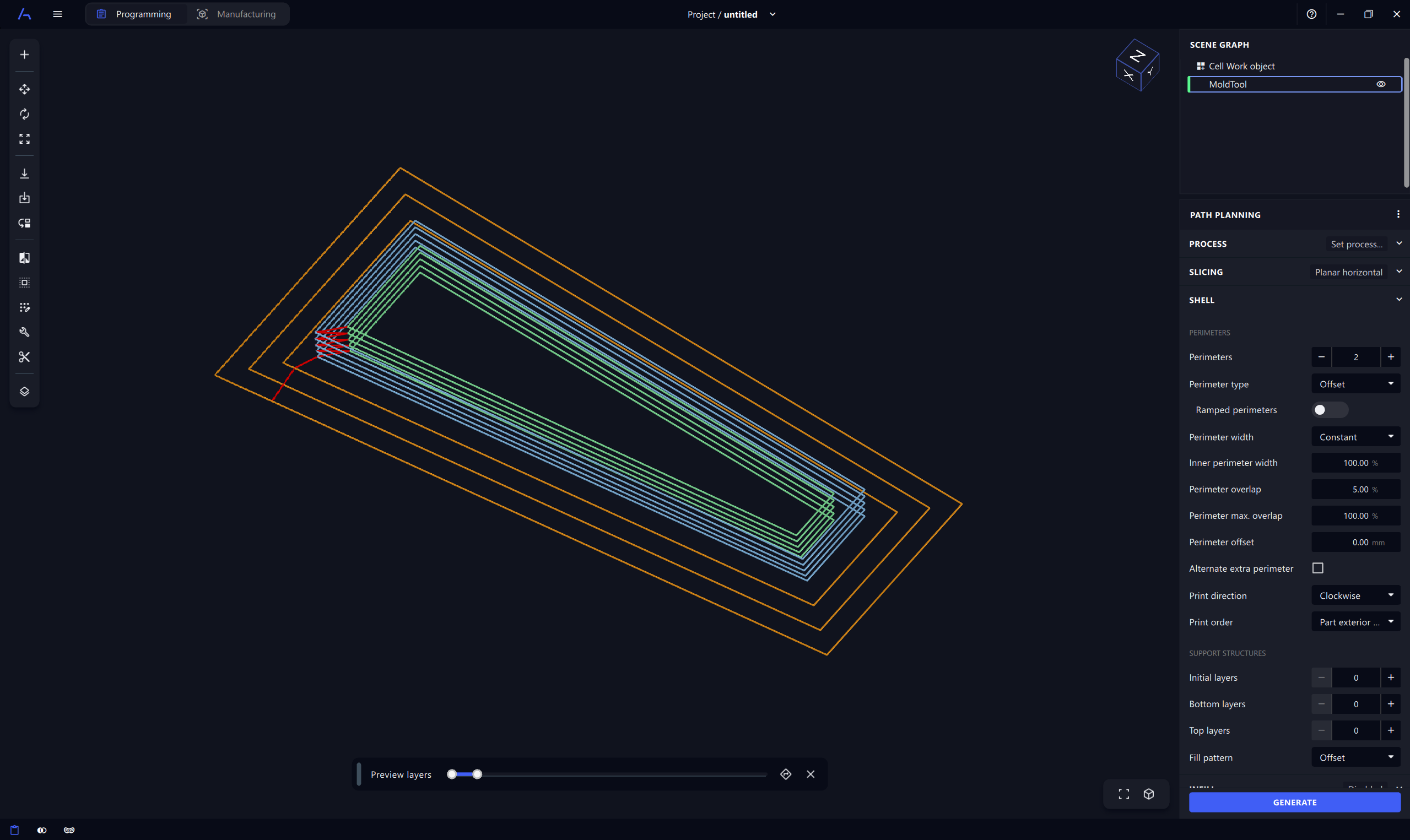
The new real-time tool path preview allows you to visualize the generated tool path directly in the 3D view as you adjust the process parameters. This makes it much easier and faster to see how changes to the settings affect the tool path. Once you are satisfied with the preview, you can generate the final tool path with a single click.
The real-time preview can be enabled by toggling the "Real-time preview" button in the status bar at the bottom of the AdaOne window.
Infill designer
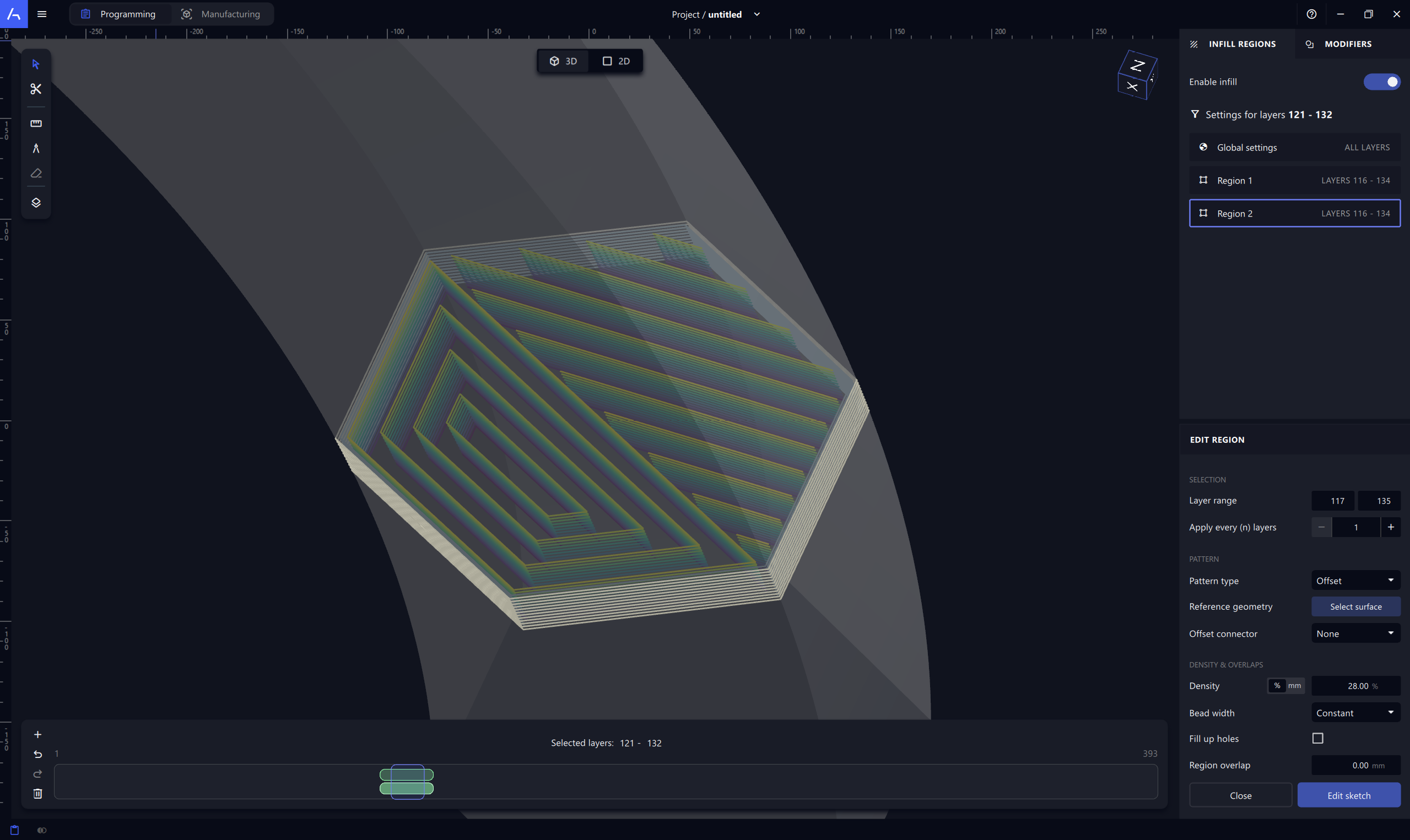
The Infill Designer gives you full control over how material is deposited inside each layer of your part. Instead of relying on a single global pattern, you can define multiple infill regions, each with its own geometry, pattern, density, and deposition strategy. It is also possible to add other 3D models in the scene as geometry modifiers to create cutouts or complex infill shapes.
Tool path analytics
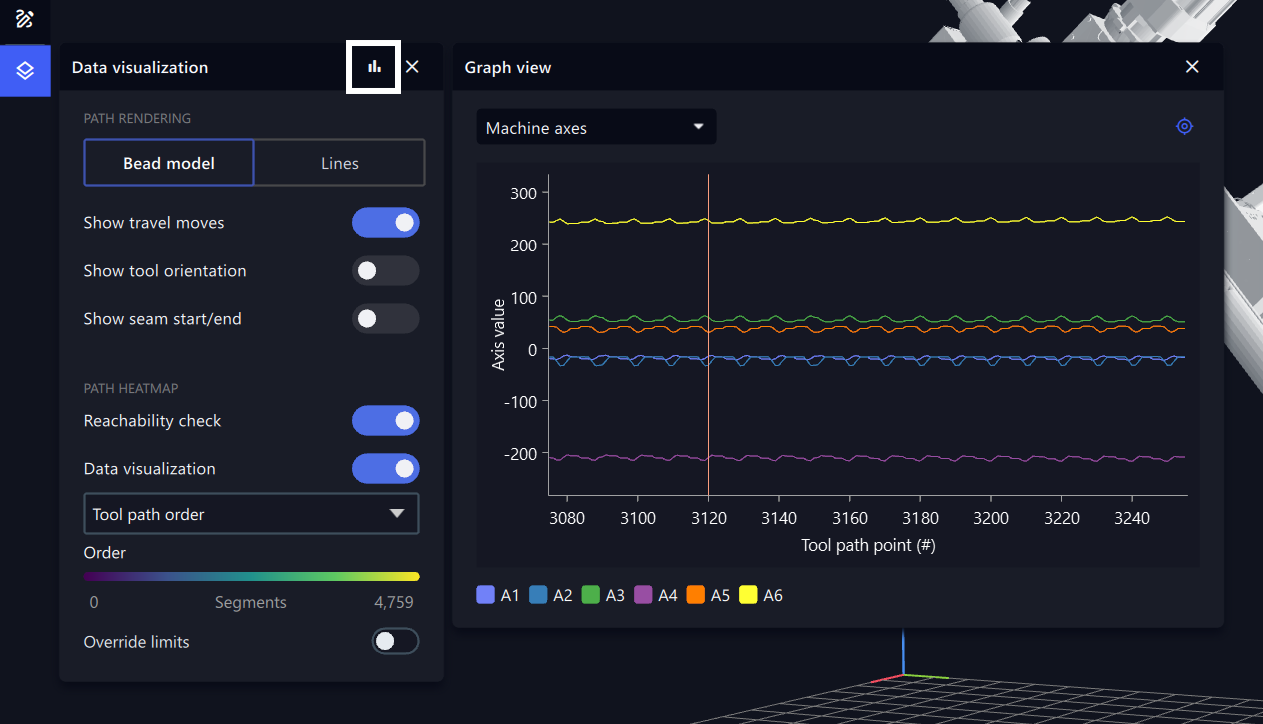
The new graph view allows you to inspect various tool path and kinematic data. It makes it easy to visualize trends and patterns, such as layer times, deposition rate, and robot motion behaviour.
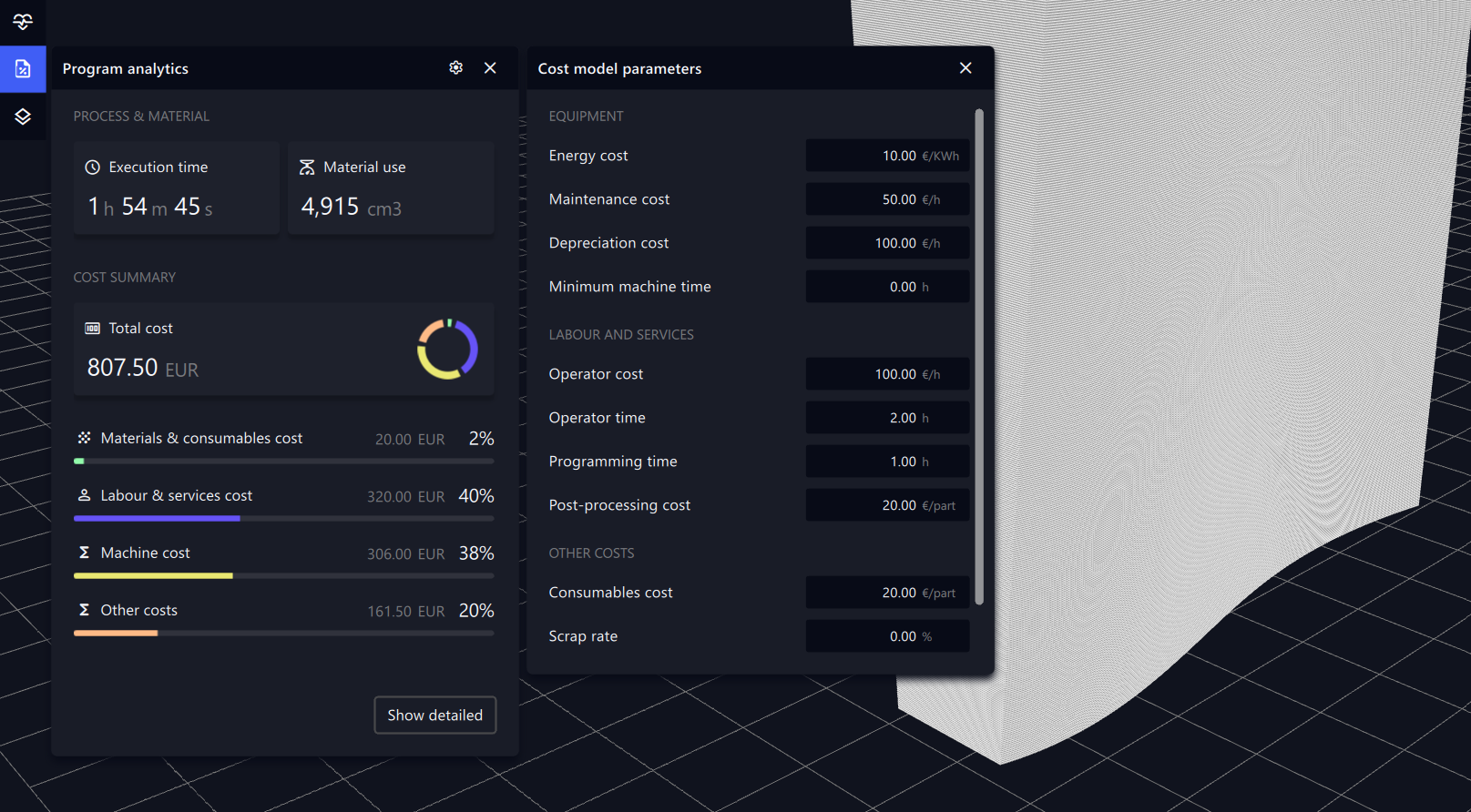
In addition, the new analytics overview and cost analytics features provide deeper insights into your manufacturing processes.
Tool path editor
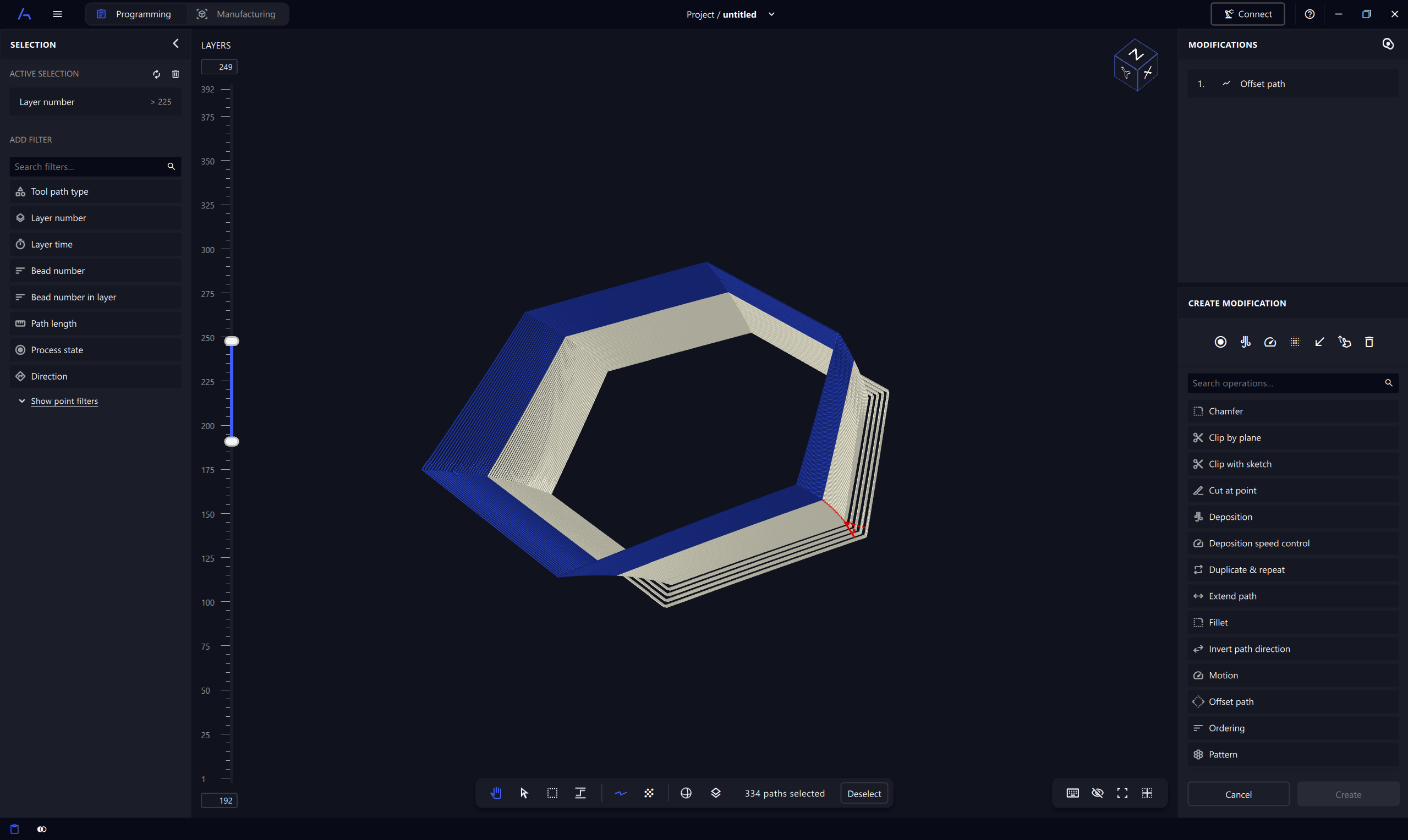
The new tool path editor allows you to create and edit tool paths with ease. Adjust the motion, process, and tool orientation of the tool path. The tool path editor is available for all manufacturing processes and can be used to customize tool paths for additive and subtractive manufacturing.
Seamless support for multiple processes
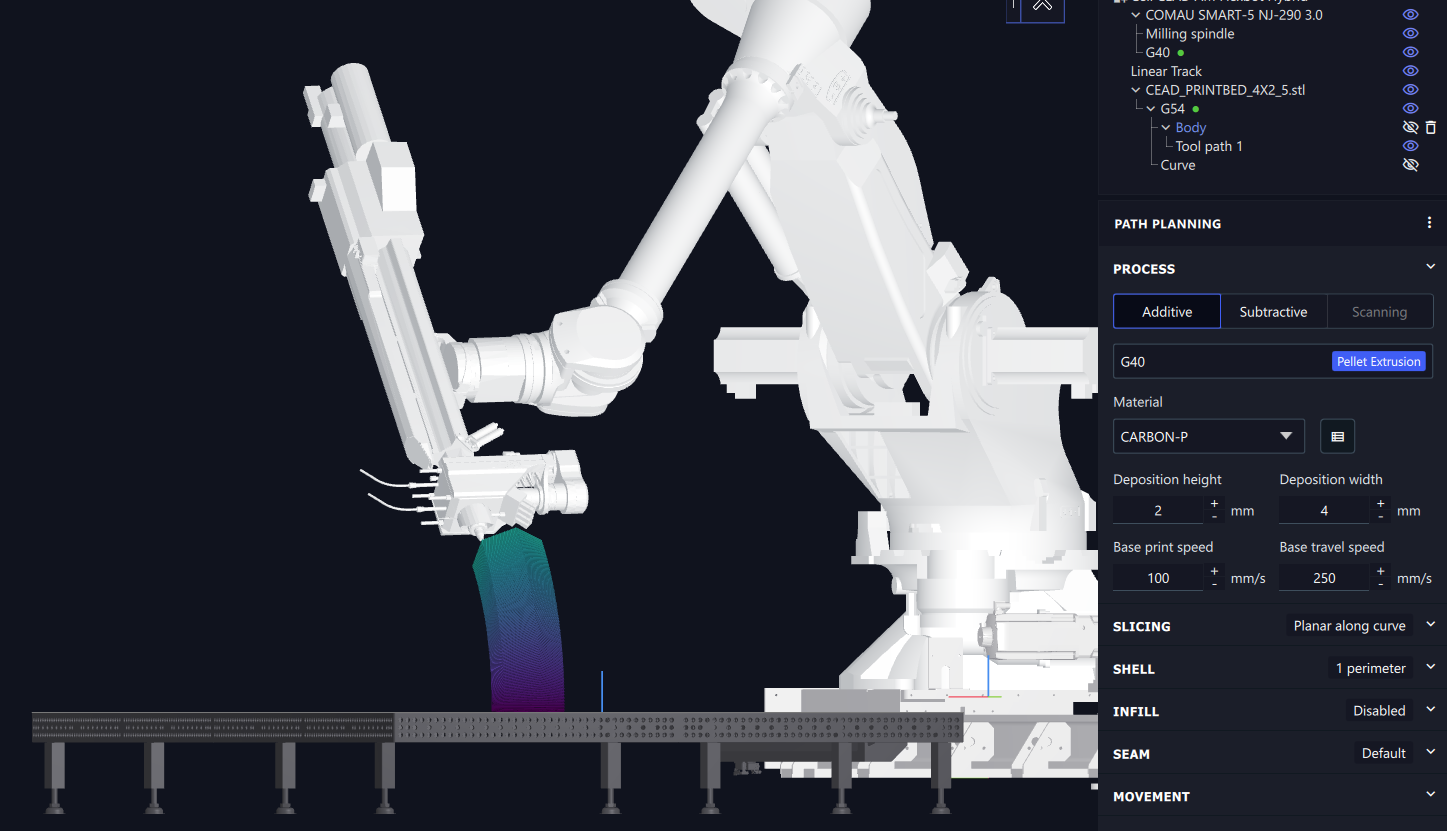
Combine multiple manufacturing processes in the same robot cell. Add multiple process heads and assign one or several manufacturing processes to each one. Switch between processes with ease and simulate the entire cell in one go.
This feature enables a wide range of new applications, such as combining additive and subtractive manufacturing, using extruders with more than one nozzle, or combining different types of welding processes.
Improved moulds and tooling workflow
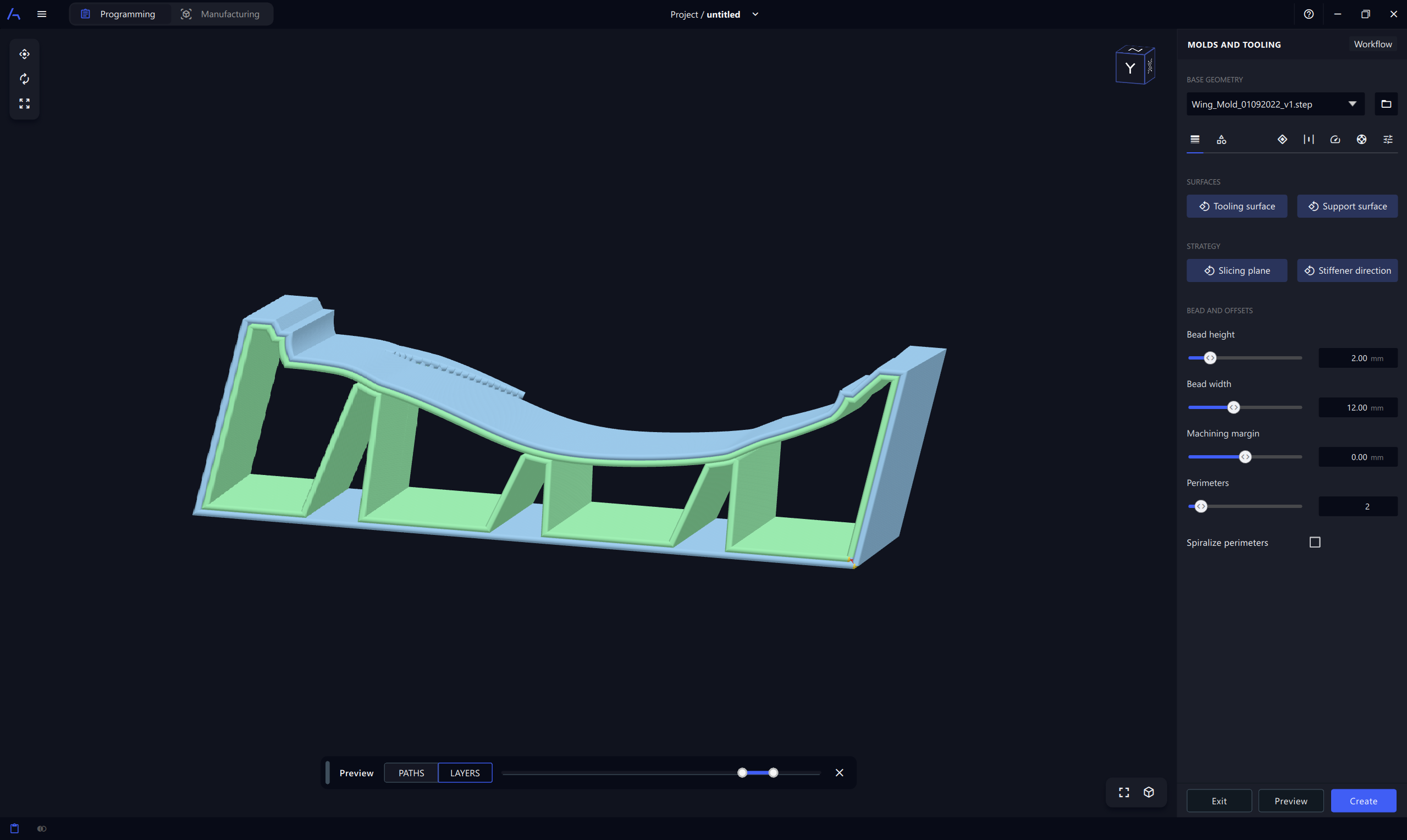
The behaviour of the moulds and tooling workflow has been improved. The new workflow is more intuitive and provides access to additional settings which allow you to fine-tune the printing process, e.g. layer time control and engage/disengage movements. It is also possible to restrict the number of stiffeners.